
Ships
Next Builds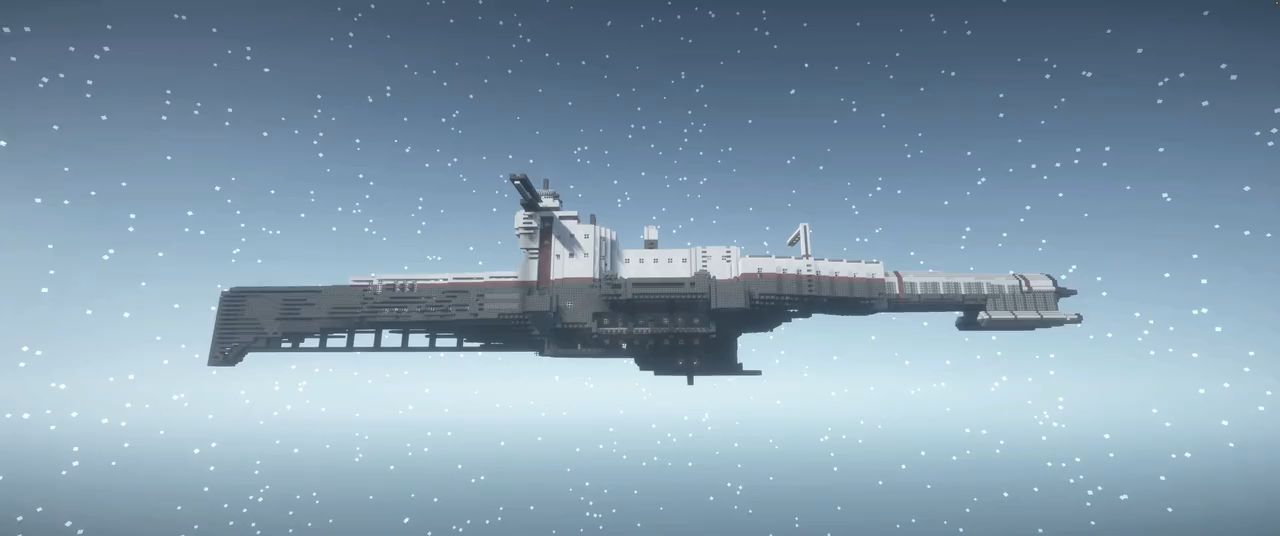
Jump a whole ship across the world, into orbit or to another planet.
Shuttles become real physics bodies that land, rest and lift off by thrust.
Thrusters, antigrav and a control panel fly the ship by hand.
Rails, curves and stops carry lifts and cabs through your builds.

Matterwake Drive is our own mod. It turns builds into ships that jump between worlds, fly under their own power and run on rails.
Warp
- Ship CoreBuild a hull of connected blocks, survey it from the Ship Core and confirm it to make it a ship.since 0.1.0
- Ship classesShuttle up to 8,192 blocks, frigate up to 50,000, cruiser up to 200,000, mothership above.since 0.1.0
- Crew and protectionOnly the owner, the crew and the owner's party may break or use a ship's blocks.since 0.1.0
- Jump DriveCharged with FE, it jumps a ship across a world, lifts it into orbit or lands a shuttle.since 0.1.0
- Hyperdrive ITakes frigates and larger ships into hyperspace, where one block counts as 1,000.since 0.1.0
- Hyperdrive II and IIIHigher hyperdrive tiers with far larger energy stores, made from calorite and atomic alloy.since 0.1.1
- Energy, warmup and cooldownEvery jump costs FE by mass and distance, warms up with a countdown and then cools down.since 0.1.0
- Orbit and landingTake off from a planet into its orbit; shuttles land again under the same spot.since 0.1.0
- Sol and hyperspaceFly between Mercury, Venus, Earth, the Moon and Mars through the Sol system space and hyperspace.since 0.1.0
- Navigation ConsoleOne screen with star map, local radar and helm, built into the hull, for the crew only.since 0.1.0
- Helm ghostA ghost of the ship at its target: move it, turn it with Q and E, blocked cells show in red.since 0.1.0
- CoursesENGAGE on the star map flies a frigate or larger ship to a planet orbit through hyperspace.since 0.1.0
- Clamps and dockingBind a ship to a Clamp, dock and undock it; docked ships ride along when their carrier jumps.since 0.1.0
- Machines travel alongMekanism machines, Immersive Engineering wires, AE2 networks and Ad Astra oxygen survive the jump.since 0.1.0
- Jump effectsWarmup sound, countdown, particles along the hull, camera shake and a light tunnel in hyperspace.since 0.1.0
- Claims respectedJumps, hull surveys, rails and glue boxes respect Open Parties and Claims.since 0.1.0
Physics ships
- Physics shipsPHYSICS ON turns a shuttle of up to 4,096 blocks into a real physics body, once and for good.since 0.1.1
- Land and lift off by thrustPhysics shuttles land, rest on ground or decks under a parking brake and lift off again.since 0.1.1
- Life aboardWalk, build and use machines on a resting or flying physics shuttle.since 0.1.1
- Into orbit at y 5,000A physics shuttle crosses into the orbit above y 5,000 and comes back when it falls below its floor.since 0.1.1
- Physical dockingA physics shuttle docks at a Clamp and is carried along when its carrier jumps.since 0.1.1
- Riders stay aboardSeated and standing players travel with their ship through jumps, orbit crossings and physics moves.since 0.1.3
Flight
- Ion and Plasma ThrustersSmall Ion and Small Plasma Thrusters push the ship away from their nozzle, fed with FE by cable.since 0.1.2
- Antigrav ModuleHolds or changes height: 50 hovers, higher climbs, lower sinks, in every gravity since 0.1.5.since 0.1.2
- StabilizerKeeps the ship level and turns it with the rudder.since 0.1.2
- Flight Control PanelEight channels, rudder, MASTER, HOVER and STOP, with speed, height, heading and energy readouts.since 0.1.2
- Seats and Pilot SeatSeats keep riders aboard a moving ship; G in the Pilot Seat opens the flight panel.since 0.1.2
- Link ToolPicks a panel channel, then links thrusters and modules to it with one click each.since 0.1.2
- Fail safeWithout a powered panel the ship falls back to hover with no thrust.since 0.1.2
- Flight checkUsing the core reports mass, lift, thrust per direction, energy and hover time in chat.since 0.1.2
- SpeedsUp to 60 blocks per second, climbing and sinking at up to 15 (server defaults).since 0.1.2
Rails and lifts
- RailA slim rail beam for floors, ceilings and walls that connects to its neighbours.since 0.1.6
- Rail LayerLays rails and curves with a hologram preview; it stores 500,000 FE and charges like any FE item.since 0.1.6
- CurvesCurves from a radius of 4, up to 64 blocks per piece, also bending from vertical to horizontal.since 0.1.6
- Vehicles from glueGlue any blocks, set a Rail Carriage on the rail and assemble a lift cab or rail car.since 0.1.6
- Rail StopNames a stop, calls the vehicle by use or redstone and charges it while it waits.since 0.1.6
- Sliding doorsGlass and Metal Sliding Doors open when a cab arrives at a stop and close before it leaves.since 0.1.6
- LiftsCabs reach 8 blocks per second, slow down for each stop and pay 10 FE per block (server defaults).since 0.1.6
- Rail Control PanelA wall panel for the cab that opens its list of stops.since 0.1.7
